[Disclaimer] As of February 2026, this guide is based on my personal experience for informational purposes only. It does not constitute financial or security advice. Please DYOR (Do Your Own Research) before making any decisions.
Introduction
With increasing security concerns on exchanges in 2026, more people are moving their assets to self-custody. Today, I’ll compare 4 hardware wallets I’ve personally used and tested over the past few years to help you choose the right one for your needs.

What is an Air-gapped Wallet?
An Air-gapped wallet is a device that is physically isolated from the internet. It never connects via USB, Bluetooth, or Wi-Fi. Instead, it uses QR codes or SD cards to sign transactions. It’s slightly less convenient but offers the highest level of security.
Comparison of 4 Hardware Wallets
1. Krux (on K210 devices like Yahboom)
Krux is an open-source firmware designed specifically for Bitcoin. It’s highly transparent and works on various off-the-shelf hardware like the Yahboom K210 Developer Kit.
I personally use the Yahboom K210 module because it offers a large touchscreen and a robust build at an affordable price. Since Krux is a community-driven project, you can verify everything yourself.

- Best for: Bitcoin-only users who want full control and transparency.
- Connection: 100% Air-gapped (QR / SD Card).
- Official Source: Krux GitHub Repository
- Key Pro: No internal battery issues as it uses external power. You can create unlimited wallets.
2. Keystone 3 Pro
If you hold various altcoins like Ethereum, Solana, or Ripple, Keystone is the most user-friendly choice.
The biggest advantage is its extensive compatibility. It seamlessly connects with a wide range of popular software wallets, making it incredibly versatile for daily use.
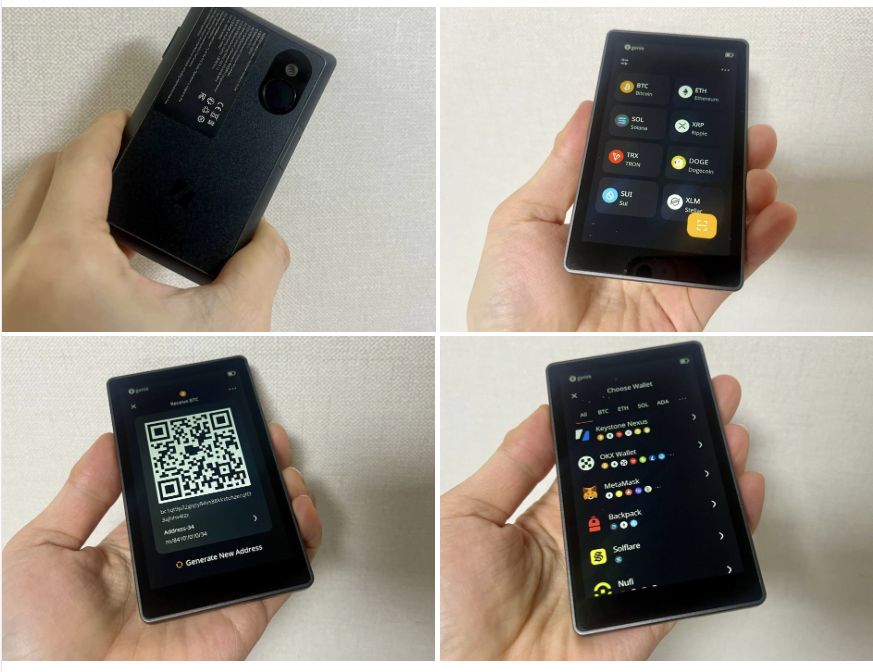
- Best for: Beginners and users holding multiple types of crypto.
- Supported Software Wallets: MetaMask, OKX Wallet, BlueWallet, Backpack, and many more
- Connection: Air-gapped (QR Code).
- Key Pro: Large 4-inch touchscreen makes it as easy to use as a smartphone.
3. Coldcard Q
A high-end, expert-level device made in Canada. It features a full QWERTY keyboard for easy passphrase entry and a dedicated QR scanner.
The highlight of the Q is its power source: 3x AAA batteries. Unlike wallets with built-in lithium batteries that eventually degrade, the Coldcard Q can last a lifetime.
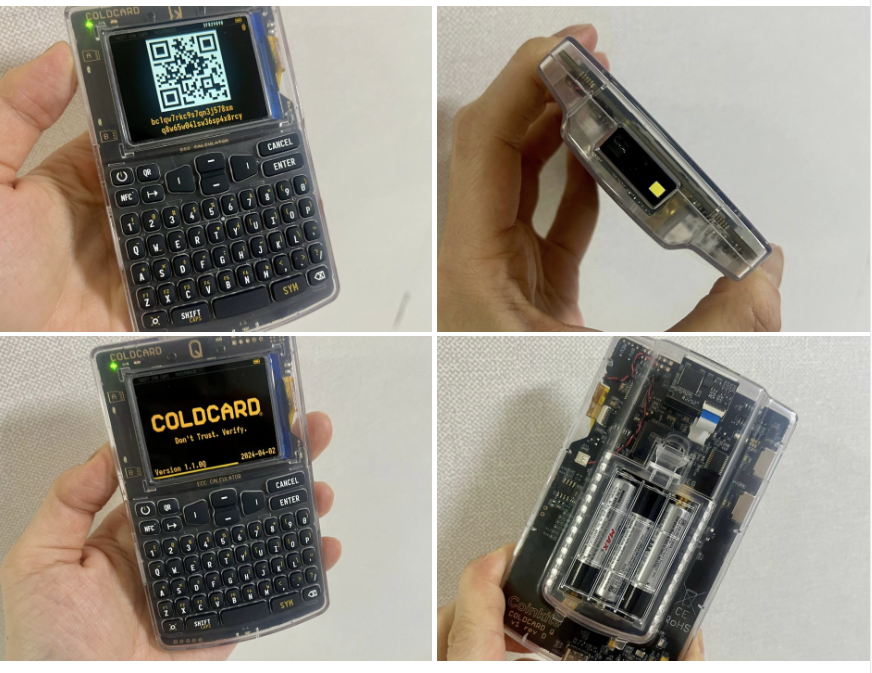
- Best for: Advanced users who want professional-grade security.
- Connection: Air-gapped (QR / SD) + Optional NFC
- Note: While it supports NFC for convenience, you can permanently disable it to maintain a 100% Air-gapped environment.
- Key Pro: Top-tier build quality and advanced security features for power users.
4. SeedSigner
This is a DIY project where you buy the parts and assemble the device yourself.
- Official Website: seedsigner.com
- GitHub: SeedSigner Repository
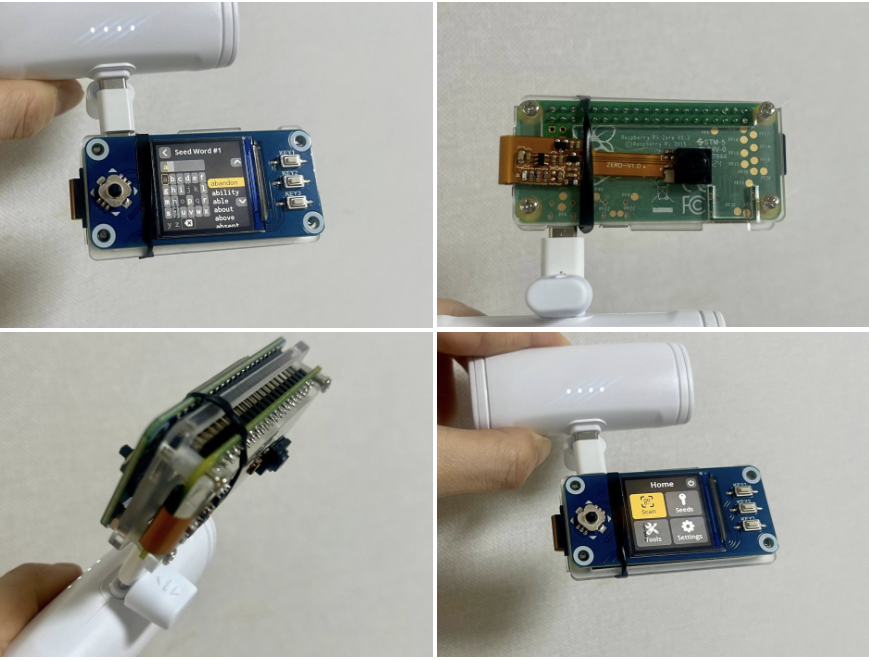
- Best for: Privacy enthusiasts who don’t want to trust any single manufacturer.
- Connection: Air-gapped (QR Code).
- Key Pro: Stateless design—it doesn’t store your private keys permanently on the device.
Final Verdict: Which one should you choose?
| User Profile | Recommended Wallet |
|---|---|
| Bitcoin-only & Open-source fan | Krux |
| Multi-coin & Easy to use | Keystone 3 Pro |
| DIY & Maximum Privacy | SeedSigner |
| Advanced & Professional features | Coldcard Q |
Disclaimer: This post is for informational purposes only and does not constitute financial or security advice. Crypto self-custody involves risks. I am not responsible for any loss of funds or errors made while following this guide. Always double-check with official documentation. DYOR (Do Your Own Research)